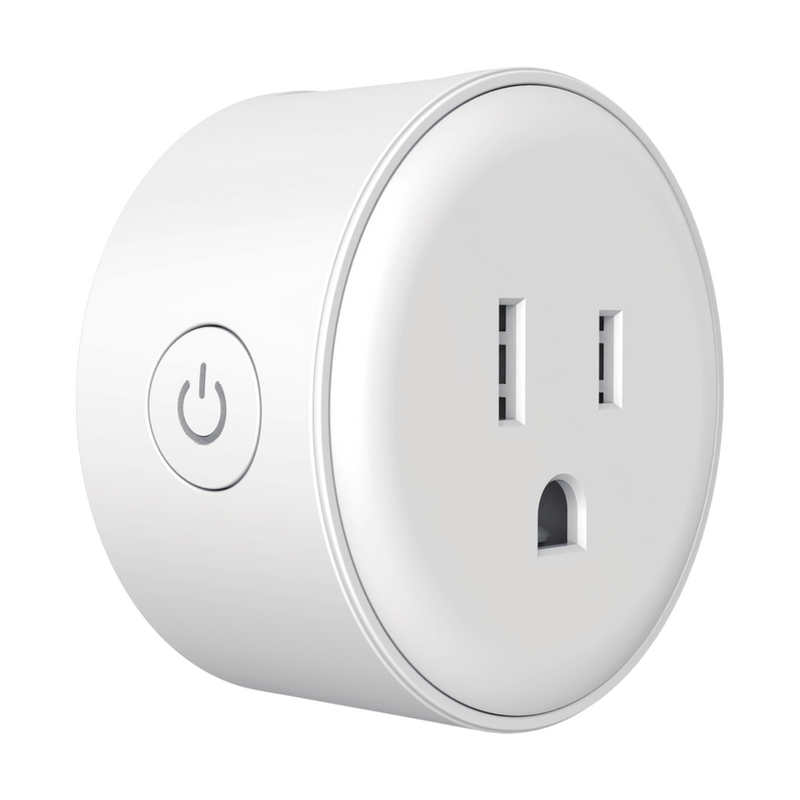
Manual · Smart Plug · 10 A
VDS ATW-10A-US
1. General information
In the box
- Smart Adapter VDS ATW-10A-US
- Quick Guide
Technical specifications
Reset
- Reset button: press and hold the ON/OFF button for a few seconds to restart the device.
2. FCC compliance
This device complies with Part 15 of the FCC Rules. Operation is subject to the following two conditions: (1) this device may not cause harmful interference, and (2) this device must accept any interference received, including interference that may cause undesired operation.
Changes or modifications not expressly approved by the party responsible for compliance could void the user’s authority to operate the equipment.
RF exposure: to comply with FCC RF exposure requirements, a minimum distance of 20 cm must be maintained between the radiator and your body during operation.
3. The device
LED status
4. Before installing
- Keep the device away from metal surfaces, microwave ovens and furniture.
- Position it close to your Wi-Fi access point.
- Use the reset function to change Wi-Fi networks.
- Plug into a grounded (three-prong) outlet only.
Safety precautions
Read the operating instructions and safety precautions before use to avoid accidents.
- Install according to the steps in section 5 of this manual.
- Keep the device away from water, fire, high electric or magnetic fields, and flammable or explosive items.
- Do not use the plug if the housing or prongs are damaged.
- If you notice smoke, unusual sound or smell during use, stop using the device immediately and cut power.
- Disassembling or modifying the device or its accessories without authorization will void the warranty and may cause safety risks.
5. Installing the device
- Plug the device directly into a grounded wall outlet.
6. App installation
Download the app:
Register and log in: open the app and create a new account or sign in with an existing one.
7. Adding the device
- Make sure your router has 2.4 GHz Wi-Fi enabled.
- Plug in the device and wait for the LED to flash.
- Open the Velds app.
- Tap the "+" symbol and select "Add device".
- If auto-detected via Bluetooth quick pairing, tap the device. Otherwise, select "Plugs" and choose "Smart Adapter (VDS ATW-10A-US)".
- Enter your 2.4 GHz network credentials and tap "Next".
- Follow the on-screen instructions if prompted.
- Wait for the connection to complete.
- Rename the device, assign it to a room, choose the main page and tap "Done".
8. In-app view
Once paired, the Velds app gives you full control over the smart plug:
- Power toggle: turn the outlet on or off from anywhere.
- Scheduling: create schedules for turning the adapter on or off automatically.
- Timer: set the adapter to automatically turn off after a set amount of time each time it is manually turned on.
- Automations: trigger the outlet based on other devices, time, or conditions.
9. Frequently asked questions
Visit the Velds Help Center for FAQs about this product.
10. Terms and Policies
Last update: 08/2026 · Version: 1.0